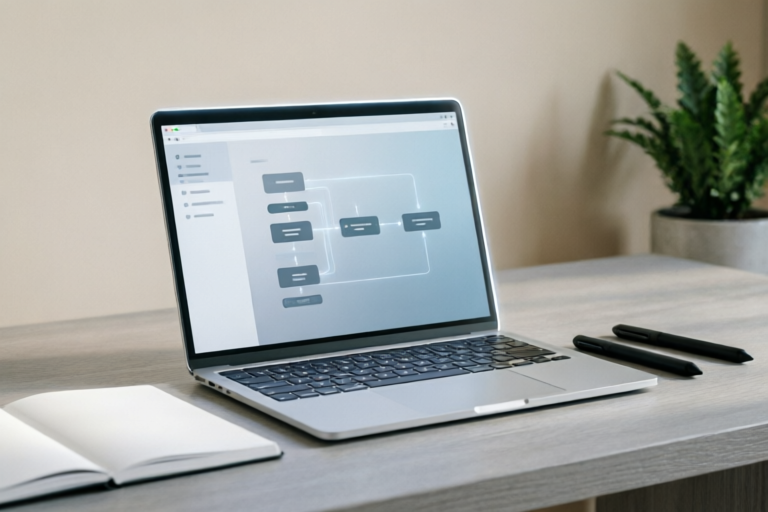
Prompt to Generate Efficient Workflow Diagrams
Efficient Workflow Diagrams Made Easy
Introduction to Workflow Diagrams
Definition and Importance of Workflow Diagrams
Workflow diagrams are visual representations of a sequence of steps or tasks within a process. They help streamline operations, identify bottlenecks, and improve overall efficiency. These diagrams are essential for businesses aiming to optimize their processes and enhance productivity.
Common Challenges in Creating Efficient Workflows
Despite their benefits, creating effective workflow diagrams can be challenging. Some common issues include unclear instructions, lack of standardization, and difficulty in accurately representing complex processes. Addressing these challenges requires a clear understanding of the tools and techniques available.
Understanding the Basics of Workflow Diagramming Tools
Overview of Popular Diagramming Software
Several tools are available for creating workflow diagrams, each with its strengths. Lucidchart and Microsoft Visio are among the most popular. These tools offer robust features designed to simplify the creation of accurate and visually appealing diagrams.
Key Features that Enhance Efficiency in Diagram Creation
Features such as drag-and-drop elements, real-time collaboration, and integration with other business tools can significantly enhance the efficiency of diagram creation. Additionally, templates and pre-built shapes save time and ensure consistency across different diagrams.
Crafting Effective Prompts for Workflow Diagram Generation
Best Practices for Writing Clear and Concise Prompts
When generating workflow diagrams using AI tools, crafting effective prompts is crucial. Prompts should be clear, concise, and specific. Avoid vague terms and provide detailed descriptions of the process you want to visualize. This ensures that the AI tool understands your requirements accurately.
How to Structure Prompts to Ensure Accuracy and Completeness
Structuring prompts effectively involves breaking down the process into manageable steps. Include details about each step, the order of operations, and any decision points. Providing context about the process's purpose and target audience can also improve the accuracy of the generated diagram.
Step-by-Step Guide to Generating Diagrams from Prompts
Detailed Process of Using AI Tools to Generate Workflow Diagrams
Using AI tools to generate workflow diagrams typically involves several steps. First, input a well-crafted prompt into the tool. Next, review the generated diagram for accuracy and completeness. If necessary, refine the prompt or make adjustments to the diagram to better reflect the intended process.
Tips for Refining and Adjusting Generated Diagrams
After the initial generation, take the time to review and refine the diagram. Check for clarity, correctness, and alignment with the original prompt. Use feedback from stakeholders to make necessary adjustments. Iterative refinement ensures that the final diagram meets all requirements and is ready for use.
Integrating Workflow Diagrams into Business Processes
Strategies for Embedding Diagrams into Existing Workflows
Once created, workflow diagrams need to be integrated into existing business processes. This can involve embedding them into project management tools, sharing them via collaboration platforms, or printing them for physical reference. Ensuring accessibility and ease of use are key to successful integration.
Benefits of Visualizing Processes for Better Collaboration and Communication
Visualizing processes through diagrams enhances collaboration by providing a clear and shared understanding of workflows. It facilitates communication between team members, ensuring everyone is on the same page. This leads to improved coordination and more effective problem-solving.
Conclusion and Future Trends in Workflow Visualization
Recap of Key Points Discussed
This article has explored the importance of workflow diagrams, the tools and techniques used to create them, and strategies for integrating them into business processes. By following best practices and leveraging advanced tools, organizations can significantly enhance their operational efficiency.
Emerging Technologies and Trends in Workflow Automation and Visualization
The future of workflow visualization holds exciting possibilities. Advances in AI, machine learning, and automation are likely to further streamline the process of creating and maintaining workflow diagrams. As technology evolves, so too will the methods and tools available to businesses seeking to optimize their operations.
Comments

Excited about the future trends mentioned here. Can't wait to see what's next in workflow automation.

Love how this improves team communication. Visualizing processes makes everything clearer!

Works great for coding project management too. Might try integrating it with Jira for better tracking.

For marketing workflows, would adding specific tasks like 'social media posting' improve the diagram's clarity?

I tried it out and it generated a pretty accurate diagram first try. Minor tweaks needed but overall, it saved a lot of time.

How do I modify this prompt to work with Microsoft Visio? I'm new to this and could use some guidance.

This prompt really helped me streamline my team's workflow! Saved this for future reference.