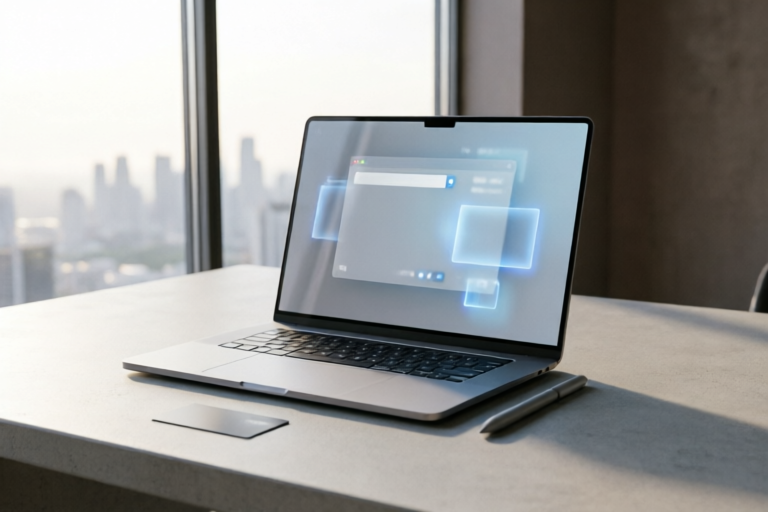
How to Prompt for High-Quality Product Images Using MidJourney
Unlock the Power of AI for Your Product Imagery
Introduction to MidJourney and Its Capabilities
MidJourney is a powerful AI-driven platform that enables users to generate high-quality product images with just a few simple prompts. By leveraging the latest advancements in artificial intelligence, MidJourney can create stunning visuals that enhance your product marketing efforts. Whether you're looking to showcase new products, improve online visibility, or simply elevate your brand’s visual presence, MidJourney offers a versatile solution.
Overview of MidJourney and Its Role in Generating Product Images
MidJourney uses sophisticated algorithms to interpret user prompts and produce detailed, high-resolution images. This makes it an invaluable tool for businesses and individuals alike, offering a cost-effective alternative to traditional photography and design services. The platform supports various styles, allowing users to customize the look and feel of their product images to match their branding and target audience.
How AI Image Generation Can Enhance Product Marketing
By integrating AI-generated product images into your marketing strategy, you can achieve several benefits:
- Faster Turnaround Times: Quickly generate multiple variations of product images without lengthy production processes.
- Consistency: Ensure that all product images adhere to your brand guidelines and maintain a consistent visual identity.
- Cost Efficiency: Reduce costs associated with professional photography and design by using AI to create high-quality images.
- Innovation: Experiment with creative concepts and styles that may not be feasible through traditional methods.
Understanding the Basics of Prompting
To get the most out of MidJourney, it's essential to understand the fundamentals of crafting effective prompts. A well-crafted prompt will provide clear instructions to the AI, resulting in more accurate and visually appealing images.
Key Elements of a Good Prompt
A successful prompt typically includes the following components:
- Description: Provide a detailed description of the product, including its features, materials, and any specific attributes you want to highlight.
- Style: Specify the desired artistic style, such as realistic, abstract, or illustrative. You can also reference famous artists or movements if applicable.
- Resolution: Indicate the desired image resolution to ensure the output meets your needs for print or digital use.
Common Mistakes to Avoid When Creating Prompts
While crafting prompts, it's important to steer clear of certain pitfalls:
- Vagueness: Avoid ambiguous or overly general descriptions that leave room for misinterpretation.
- Lack of Specificity: Be precise about the details of the product and the desired outcome.
- Overcomplication: Keep your prompts concise and focused to prevent confusion.
Crafting Effective Prompts for Product Imagery
Writing effective prompts requires a balance between detail and clarity. Here’s a step-by-step guide to help you craft compelling prompts for your product imagery:
Step-by-Step Guide on Writing Detailed and Specific Prompts
- Identify Key Features: List the main characteristics of your product that need to be highlighted.
- Describe the Setting: Define the background or environment where the product will be showcased.
- Specify the Style: Choose an appropriate artistic style that aligns with your brand identity.
- Incorporate Brand Identity: Ensure the image reflects your brand’s colors, typography, and overall aesthetic.
- Use Clear Language: Avoid jargon and technical terms unless they are widely understood within your industry.
Tips for Incorporating Brand Identity and Product Features into Prompts
When crafting prompts, consider the following tips:
- Highlight Unique Selling Points: Emphasize what sets your product apart from competitors.
- Align with Brand Messaging: Make sure the image resonates with your brand’s core values and messaging.
- Showcase Benefits: Illustrate how the product solves problems or enhances customers' lives.
Utilizing MidJourney's Advanced Features
MidJourney offers a range of advanced features that can further enhance your product images. These tools allow for greater control and creativity, enabling you to refine and perfect your visuals.
Exploring Advanced Options Like Layers, Masks, and Filters
Some of the advanced features available in MidJourney include:
- Layers: Combine multiple elements to build complex compositions.
- Masks: Isolate specific areas of the image for detailed adjustments.
- Filters: Apply various effects to alter the mood or tone of the image.
Techniques for Refining and Iterating on Initial Image Outputs
Once you have your initial image, you can refine it using these techniques:
- Review Feedback: Analyze feedback from peers or clients to identify areas for improvement.
- Experiment with Variations: Try different styles, angles, or settings to find the best fit.
- Iterate: Continuously refine and tweak the image until it meets your expectations.
Optimizing Generated Images for Online Use
After generating your product images, it's crucial to optimize them for online use. Properly prepared images will load faster, look better, and perform better in search engine rankings.
Best Practices for Editing and Enhancing AI-Generated Images
Here are some best practices for editing and enhancing your images:
- Adjust Contrast and Brightness: Ensure the image has balanced lighting and clear contrast.
- Sharpen Details: Enhance sharpness to make the product stand out.
- Remove Unwanted Elements: Clean up any artifacts or unnecessary details.
Guidelines for Ensuring Images Are Optimized for Web Use and SEO
When preparing images for the web, follow these guidelines:
- Compress Files: Use compression tools to reduce file size without sacrificing quality.
- Use Descriptive File Names: Include relevant keywords in the file name for improved SEO.
- Alt Text: Add descriptive alt text to improve accessibility and search engine visibility.
Conclusion and Final Thoughts
In conclusion, mastering the art of prompting with MidJourney can significantly enhance your product marketing efforts. By understanding the basics, crafting effective prompts, utilizing advanced features, and optimizing your images, you can create visually stunning and impactful product imagery. Don't hesitate to experiment and refine your techniques; the more you practice, the better your results will be.
Comments

The layer and mask tips were super useful. My images look so much better now!

I'm curious, can this be used for non-product images too, like marketing collaterals?

Saved this prompt for future reference. Really helpful for our product launches!
This works great, but is there a way to make the textures more realistic?

Does anyone know if these images are good for SEO too?
Great tips on incorporating brand identity. This will definitely help me create more cohesive visuals.

How do I adjust the style in the prompt? I want something more minimalist.
Tried this prompt, and it really helped me nail down some high-quality product shots for my e-commerce site. Thanks! 🚀